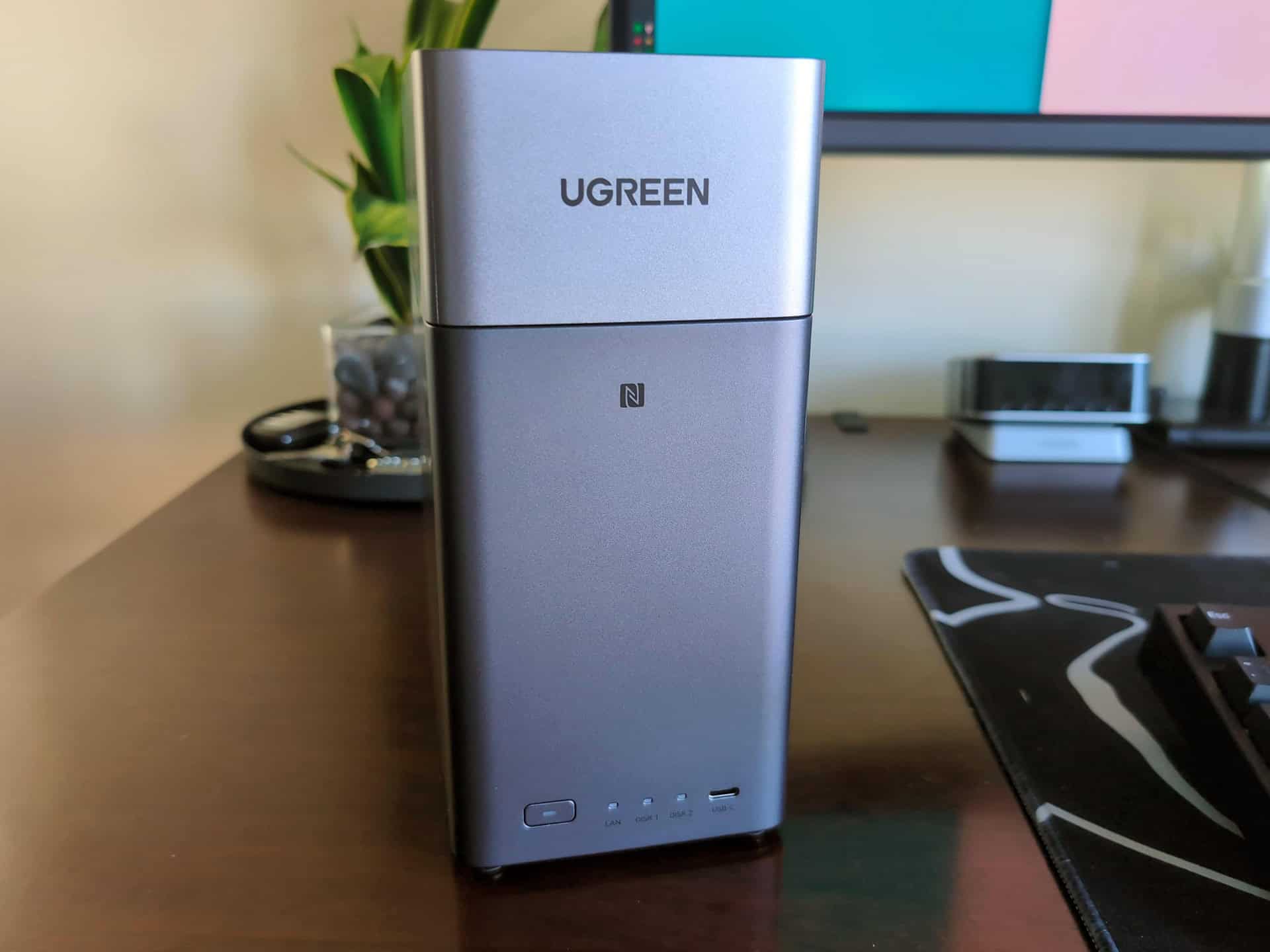
I reviewed the Ugreen NASync DXP2800 GT a while back for GeekExtreme, and it’s an excellent machine. First-time NAS buyers still face a confusing lineup, though: Ugreen sells three nearly identical-looking two-bay NASync towers built for different jobs. Claus Ludewig’s September 3, 2026 PC Games Hardware (PCGH) comparison, updated with findings from several weeks of everyday GT use, and Adam Riley’s October 5, 2026 Cubed3 review describe a three-rung ladder: the Ugreen NASync DH2300 for basic backups, the Ugreen NASync DXP2800 as a midrange home server, and the 10-Gbit Ugreen NASync DXP2800 GT for creators and power users.
Choosing between the ARM-based DH2300 (about $202, with a ~20 W power draw) and the Ryzen-based DXP2800 GT (about $482) means deciding whether paying about $280 more is worth the extra software flexibility and hardware headroom. All three enclosures are sold without hard drives, so storage is an additional expense.
Key Takeaways
The Ugreen NASync DH2300 (about $202–$235) uses an 8-core ARM Rockchip RK3576, draws ~20 W, and saturates its 1-Gbit LAN connection at ~118 MB/s. Its soldered 4 GB of LPDDR4X RAM, lack of M.2 slots, and lack of Docker support limit its expansion options, including Plex and Jellyfin.
The Ugreen NASync DXP2800 GT (about $482 Prime deal) combines an x86 AMD Ryzen Embedded R2514 processor, 10-Gbit LAN, support for up to 64 GB of DDR4 RAM, two M.2 slots, and two U.2 SSD bays. However, the cited RAID 0 hard-drive tests reached the same ~118 MB/s as the DH2300. Taking advantage of 10GbE requires suitable storage and 10GbE network gear.
Sitting between them at about $370, the Intel N100-powered Ugreen NASync DXP2800 adds x86 Docker support, smooth Plex transcoding, 2.5-Gbit LAN, and two M.2 slots. It also draws less power than the GT.
Table of Contents
Ugreen DH2300 vs DXP2800 GT spec comparison
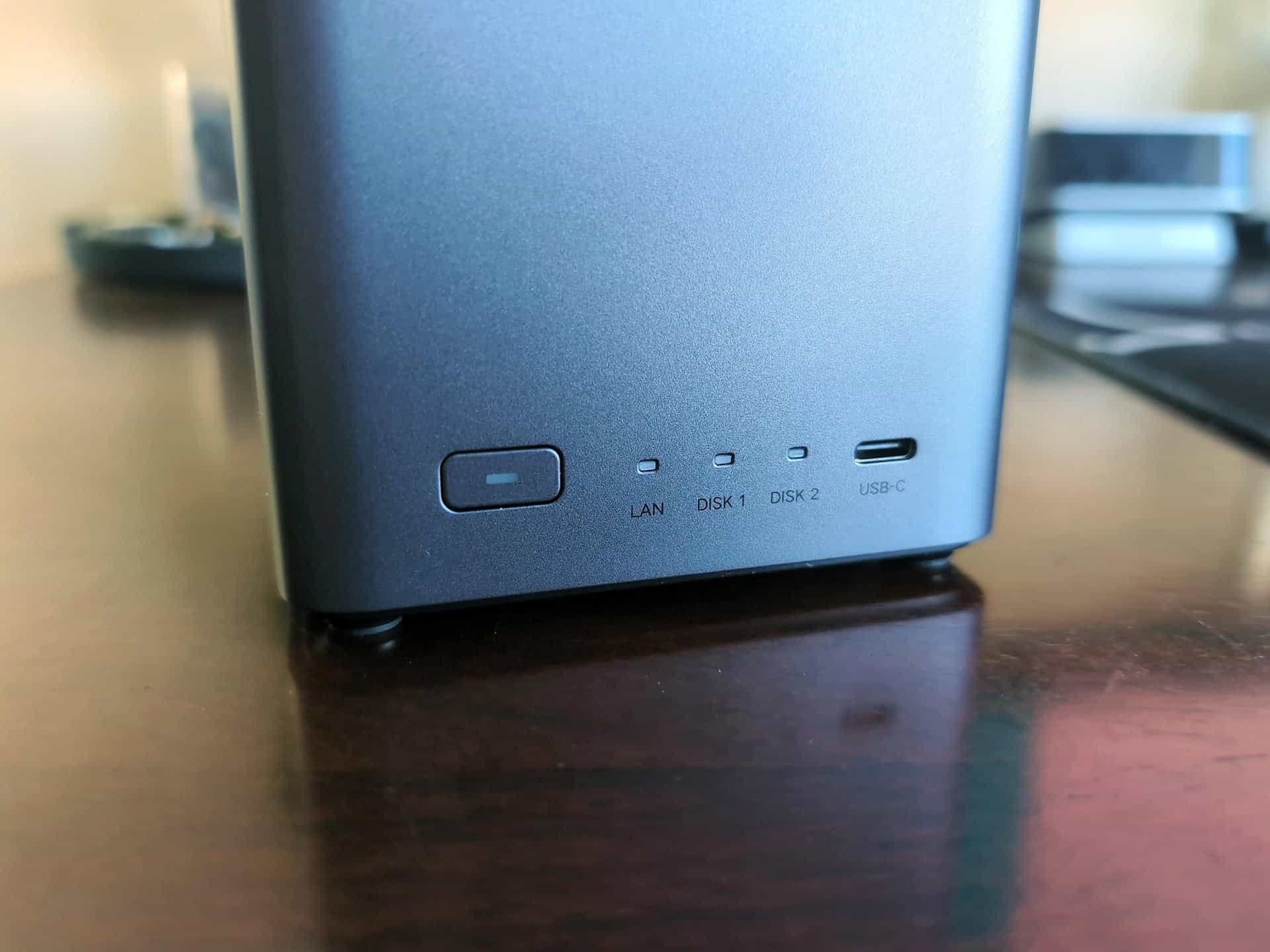
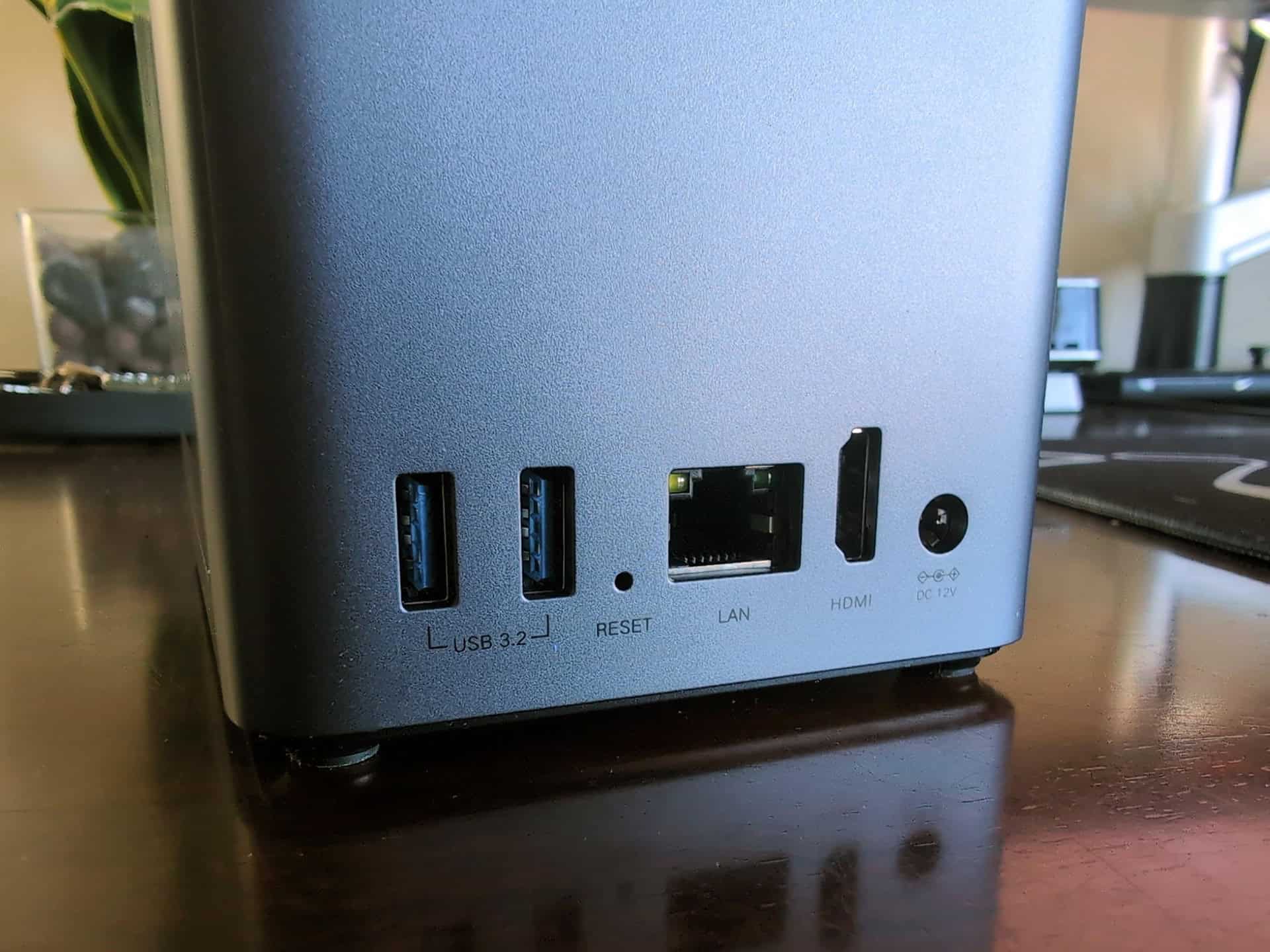
The Ugreen DH2300 and Ugreen NASync DXP2800 GT are two-bay network-attached storage enclosures with different architectures. The DH2300 is an entry-level ARM backup appliance with 1-Gbit LAN and 4 GB of fixed RAM. The DXP2800 GT is an x86 Ryzen server with 10-Gbit LAN, dual M.2 and U.2 SSD slots, and RAM expandable to 64 GB. The DH2300 has 4 GB of LPDDR4X RAM soldered to its 8-core Rockchip RK3576 board and no SSD expansion slots. The DXP2800 GT pairs a 4-core AMD Ryzen Embedded R2514 processor running at up to 3.7 GHz with integrated Radeon graphics, Docker and virtual machine support, and four SSD expansion slots in total. Comparing the DH2300 and DXP2800 GT specifications with those of the midrange DXP2800 makes each model’s hardware limits easier to see.
| Specification | Ugreen NASync DH2300 | Ugreen NASync DXP2800 | Ugreen NASync DXP2800 GT |
|---|---|---|---|
| Processor | Rockchip RK3576 (8-core ARM SoC) | Intel N100 (x86) | AMD Ryzen Embedded R2514 (4 Zen+ cores up to 3.7 GHz, x86, Radeon iGPU) |
| Network (LAN) | 1x 1 Gbit/s | 1x 2.5 Gbit/s | 1x 10 Gbit/s |
| Memory (RAM) | 4 GB LPDDR4X, soldered (8 GB MediaMarkt variant exists) | 8 GB DDR5 SO-DIMM (expandable to 16 GB) | 8 GB DDR4 RAM (expandable to 64 GB) |
| RAM upgradeable | No (soldered onto board) | Yes (swappable SO-DIMM up to 16 GB) | Yes (expandable up to 64 GB) |
| M.2 NVMe slots | No (0 slots) | Yes (2x M.2 slots) | Yes (2x M.2 PCIe 3.0 x2 slots) |
| U.2 SSD bays | No (0 bays) | No (0 bays) | Yes (2x GT-exclusive server-grade PCIe/NVMe bays) |
| Drive bays and maximum total storage | 2 bays (up to 60 TB via 2x 30 TB HDDs, sold without drives) | 2 bays (up to 80 TB via 2x 32 TB HDDs + 2x 8 TB M.2 SSDs, sold without drives) | 2 bays (plus 2x M.2 and 2x U.2 SSD expansion, sold without drives) |
| Operating system | UGOS Pro | UGOS Pro | UGOS Pro |
| Docker and VM support | No Docker support; limited options for Plex and Jellyfin | Yes (x86 supports Docker and software extensions) | Yes (full Docker and virtual machine support) |
| Hardware video transcoding | No (stuttering reported during long, original-quality video playback) | Yes (smooth Plex transcoding) | Partial (H.264, H.265, MPEG-4, VC-1, VP8, VP9 in hardware; no AV1) |
| Expansion options | Fixed RAM and no SSD slots; built for simple backups | Partial (RAM to 16 GB and 2x M.2 slots; built for home servers) | Yes (RAM to 64 GB, 2x M.2, and 2x U.2 bays; workstation-class for content creators, small offices, and power users) |
Ugreen DH2300: strengths and hard limits
The Ugreen NASync DH2300 is built to sip power at ~20 W and max out a standard 1-Gbit home network at ~118 MB/s. Its $202–$235 price comes with fixed RAM and no SSD expansion slots.
What the DH2300 does well
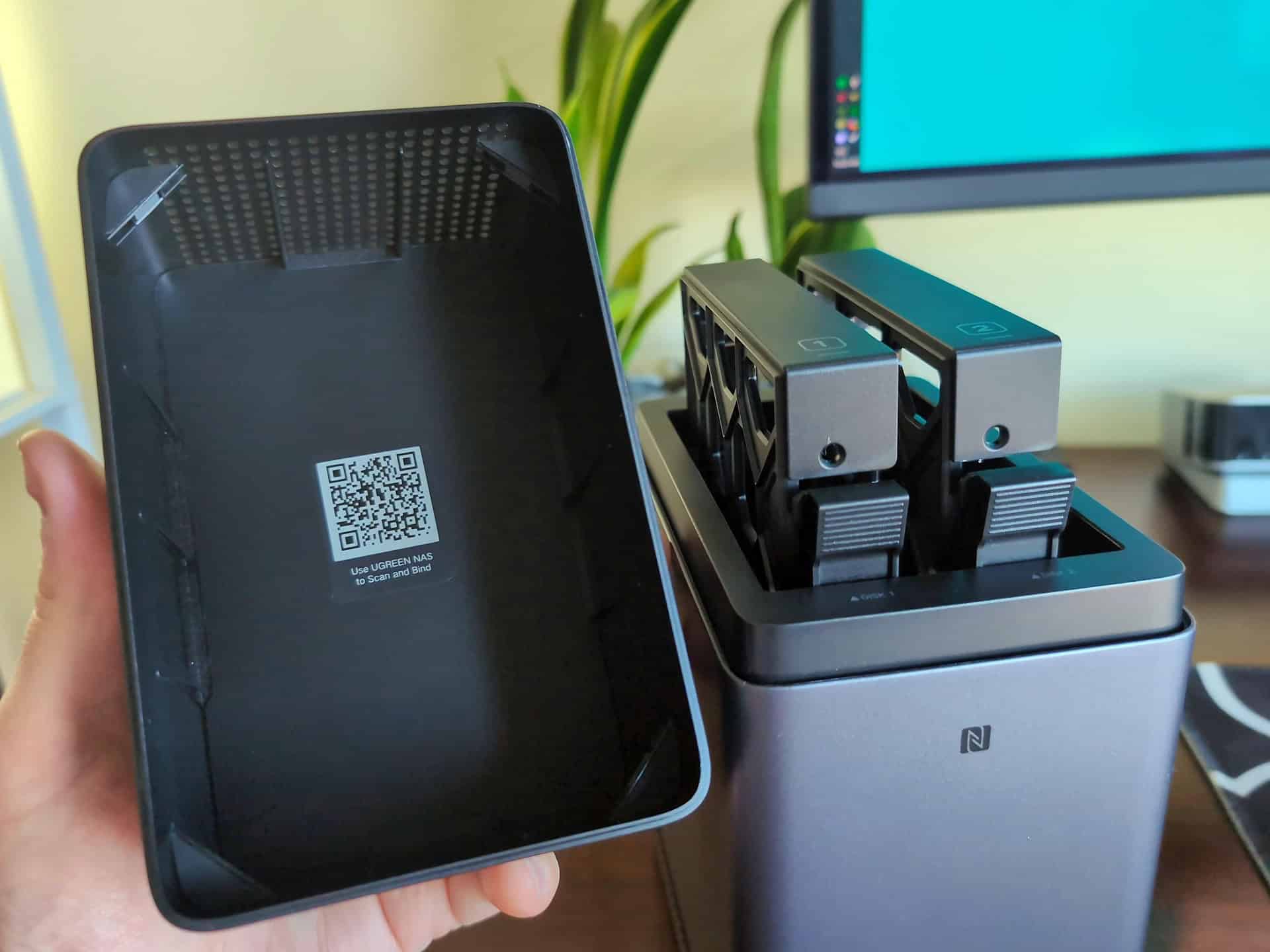
The DH2300 has a metallic-look plastic enclosure with a magnetic top cover for tool-free drive access. It runs quietly on an 8-core ARM Rockchip RK3576 SoC and supports up to 60 TB across two 30 TB hard drives. In TechRadar’s benchmark, using two 4 TB Seagate IronWolf HDDs in RAID 0 and a 100 MB test file, it reached ~118 MB/s for both reads and writes, saturating its 1 Gbit/s LAN port.
Replacing iCloud, Google One, or OneDrive
To use the Ugreen DH2300 as an alternative to paid cloud subscriptions such as iCloud, Google One, or OneDrive, install up to two 30 TB drives beneath its magnetic top cover and complete the UGOS Pro setup. Then enable automatic backups for your Windows, macOS, Android, and iOS devices. Local photo recognition can organize images by faces, subjects, locations, and text, as well as identify duplicates. Families and small home offices also get shared PC folders and basic media streaming over the home network without a monthly cloud storage fee.
Where the DH2300 hits a permanent wall
The Ugreen DH2300 struggles with demanding media workloads. PCGH reported stuttering during long, original-quality video playback and transfers in its everyday testing. The model also lacks Docker support, limiting options for apps such as Plex and Jellyfin. Its 4 GB of LPDDR4X RAM is soldered to the board, and it has no M.2 SSD slots. Buyers who need more memory must choose MediaMarkt’s 8 GB variant at purchase. Anyone who later wants to run Home Assistant or Immich through Docker faces the same software limitation.
Ugreen DXP2800 GT: the platform tier
Available since June 2026, the DXP2800 GT turns Ugreen’s two-bay footprint into a compact x86 server built around AMD’s Ryzen Embedded R2514 processor. It offers support for up to 64 GB of RAM, U.2 SSD bays, and Radeon hardware transcoding.
Hardware and build
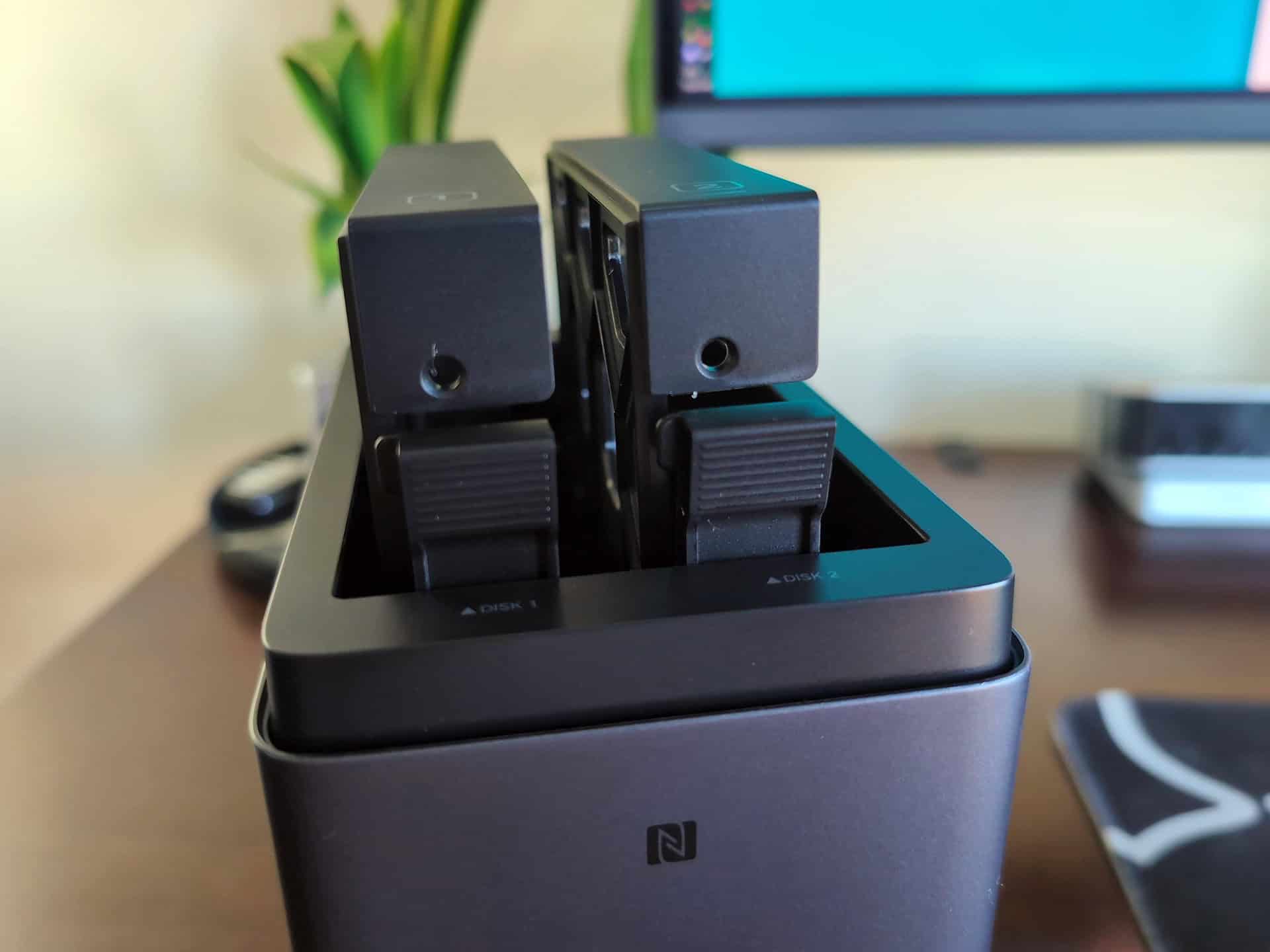
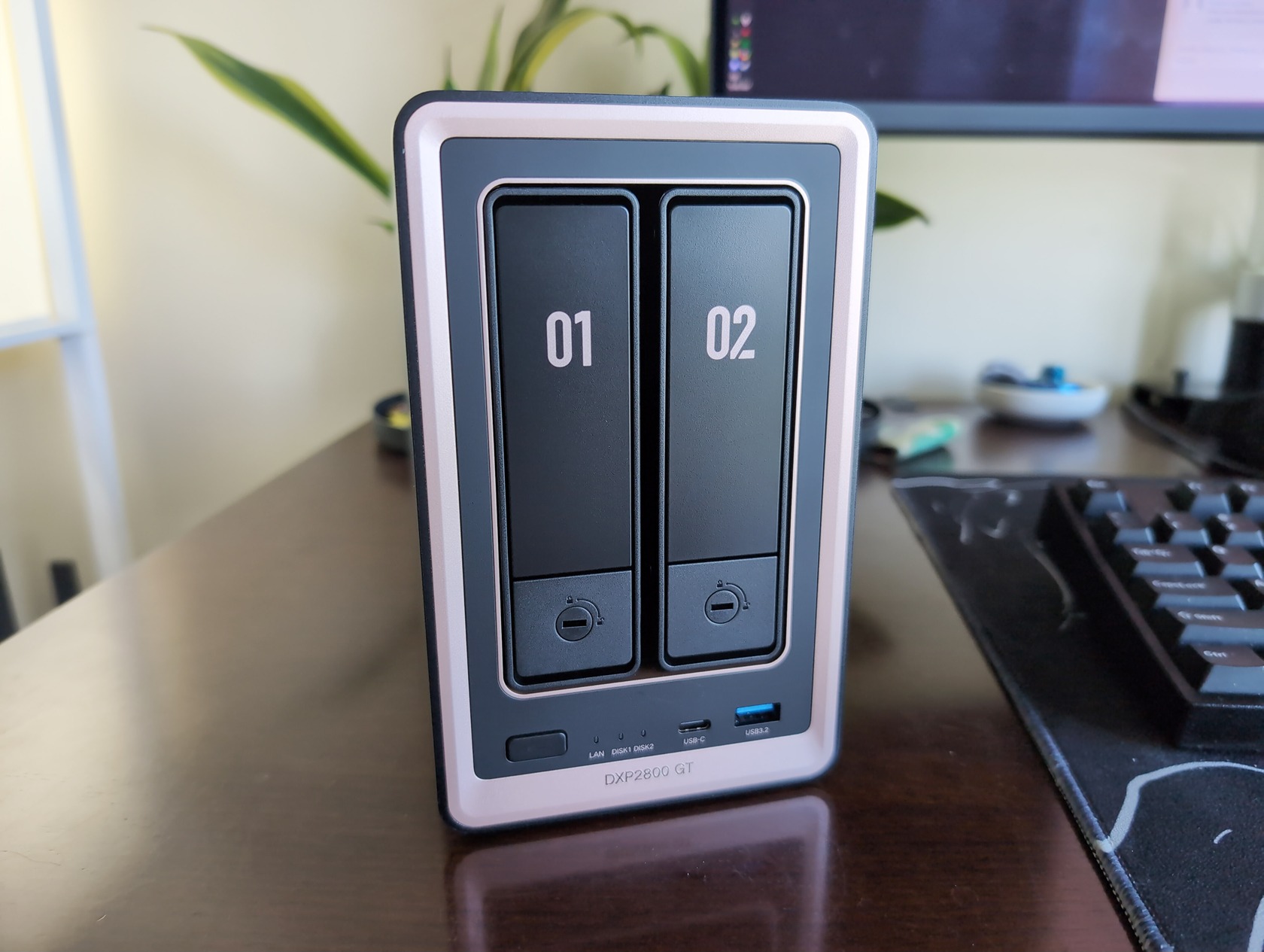
PCGH describes the GT’s enclosure as sturdy and black-and-gold, while Cubed3 calls it space-gray aluminum alloy with gold accents. Inside are four Zen+ cores running at up to 3.7 GHz, 8 GB of DDR4 RAM expandable to 64 GB, two M.2 NVMe slots, and two GT-exclusive U.2 bays for thick, 2.5-inch server-grade PCIe/NVMe SSDs. The enclosure has lockable, tool-free drive trays and a magnetic dust filter over the hydraulic fan. Front connections include USB-C 3.2 Gen 2 and USB-A 3.2 Gen 2 ports, alongside status LEDs. At the rear are 10-Gbit LAN, USB-A 3.2 (10 Gbit/s), USB 2.0, and dual HDMI 2.0b ports supporting 4K at 60 Hz for direct media playback or UGOS Pro’s lightweight desktop mode.
Docker, Plex, and transcoding
The x86 Ryzen-based DXP2800 GT supports Docker containers, virtual machines, and hardware-accelerated 4K transcoding through its integrated Radeon graphics. That gives it more options for media and self-hosted apps than the DH2300. It can run Home Assistant, Pi-hole, Immich, and Ugreen Surveillance Center with multiple camera streams. Supported hardware video formats include H.264, H.265, MPEG-4, VC-1, VP8, and VP9. Plex requires a separate installation, and AV1 hardware decoding is unsupported.
Who the GT badge is for
The DXP2800 GT is aimed at content creators and small studios working with Lightroom, Capture One, or DaVinci Resolve projects over 10GbE, as well as users running virtual machines. Cubed3 awarded it 9/10 and its Exceptional rating, praising its capabilities as a quiet creative server.
Ugreen DXP2800 GT in everyday use: noise and gotchas
Everyday GT use involves more than the headline specifications. The reviews report different noise measurements and flag several hardware and software limitations.
Noise numbers explained
The DXP2800 GT’s reported noise levels come from different test conditions. Cubed3 recorded 29 to 34 dB during everyday studio and office workloads. PCGH reported an average of 31.5 dB(A) and a peak of 56.1 dB(A), measured from 1.6 meters away during several weeks of testing. Those figures should be read alongside each review’s workload and measurement method.
Weaknesses spec sheets hide
The DXP2800 GT has everyday limitations worth considering if you play long videos, require full-disk encryption, or closely monitor electricity use. PCGH and Cubed3 flagged high power draw, especially in standby, and a lack of drive encryption. Other limitations include a single 10GbE port with no dual-LAN link aggregation, a separate Plex installation, and no AV1 hardware decoding. The M.2 NVMe cache slots use PCIe 3.0 x2, limiting peak SSD speeds, although the interface is adequate for caching and metadata. The reviews also describe video-output issues with longer files: limitations appeared at around 90 minutes, and Full HD videos lasting more than two hours remained fluid but had heavily compressed audio.
10-Gbit LAN in practice: what the DXP2800 GT delivers
The Ugreen NASync DXP2800 GT’s 10GbE connection is most useful when paired with fast storage, a 10-Gbit switch, and 10-Gbit client adapters. The cited setups also call for Cat-6A cabling. Hard drives and standard 1-Gbit home routers can limit real-world transfer speeds well below the network port’s capacity. In PCGH’s everyday testing, copying a 5.9 GB file over CIFS with two hard drives in RAID 1 produced ~274 MB/s writes and ~247 MB/s reads. A separate RAID 0 test using two Western Digital hard drives reached 118 MB/s for both reads and writes, matching the DH2300’s result.
The bottleneck chain: drives, cabling, and client
A 10-Gbit LAN port has a theoretical ceiling of ~1,250 MB/s. Reaching high hundreds of megabytes per second, or more, requires every link in your hardware chain to keep up:
- Client and switch hardware: Your desktop or MacBook needs a 10-Gbit adapter, and your network switch needs 10-Gbit ports too. Plugging the GT into a typical 1-Gbit ISP router instantly clamps throughput to gigabit speeds.
- Cabling: You need at least Cat-6A network cabling in the walls or across the desk to sustain 10-Gbit signaling cleanly.
- Storage media inside the bays: Mechanical hard drives physically can’t feed a 10-Gbit pipe on their own. Hitting the GT’s upper speeds requires populating its two PCIe 3.0 x2 M.2 NVMe slots or its two server-grade U.2 SSD bays.
DH2300 vs GT benchmark numbers compared
In the cited third-party benchmarks, the DXP2800 GT’s peak SSD-backed speeds were more than six times the DH2300’s results: 730.8 MB/s writes and 778.9 MB/s reads, compared with ~118 MB/s. The GT’s RAID 1 hard-drive test reached ~274 MB/s writes and ~247 MB/s reads, while the cited RAID 0 tests returned ~118 MB/s on both models. These results came from different test configurations, so the RAID 0 figures should not be treated as a universal limit for either model. Here’s how the reported results compare:
- Theoretical 10-Gbit maximum: ~1,250 MB/s ceiling.
- DXP2800 GT peak synthetic test (ComputerBase): Using NAS Performance Tester 1.7 with a 100 MB file, the GT reached up to 730.8 MB/s for writes and 778.9 MB/s for reads.
- DXP2800 GT real-world CIFS test (PCGH): Transferring a 5.9 GB file over CIFS with two HDDs in RAID 1 delivered ~274 MB/s for writes and ~247 MB/s for reads.
- DXP2800 GT vs DH2300 on RAID 0 HDDs (PCGH and TechRadar): Running CrystalDiskMark (confirmed by NAS Performance Tester 1.7) on two Western Digital HDDs in RAID 0, PCGH measured up to 118 MB/s for both reads and writes on the GT. TechRadar’s RAID 0 test on the DH2300 using two 4 TB Seagate IronWolf HDDs and a 100 MB file also measured ~118 MB/s for both reads and writes.
- CPU compute gap (PassMark): Outside storage I/O, PassMark CPU Benchmark data shows the GT’s Ryzen Embedded R2514 delivers ~25% more CPU performance than the midrange DXP2800’s Intel N100.
Power draw and CPU trade-off: R2514 vs N100 vs the 20 W ARM model
Moving from the DH2300’s ~20 W ARM-based system to the Intel N100-powered DXP2800 adds x86 software support. Stepping up again to the GT’s Ryzen R2514 adds processing headroom, although its reported power consumption is more than double that of the N100 model.
Performance per watt
PassMark CPU Benchmark data puts the DXP2800 GT’s Ryzen Embedded R2514 at ~25% more CPU performance than the DXP2800’s Intel N100. The reviews report more than double the power consumption for the GT, with notably high standby draw. The ARM-based DH2300, meanwhile, draws ~20 W in total.
The DXP2800 middle path
For most people, the standard Ugreen DXP2800 is the better overall choice. Buyers who mainly want central storage for photos, videos, and backups can spend less than they would on the GT while retaining room for additional apps. It has an x86 Intel N100 CPU, 8 GB of DDR5 SO-DIMM memory officially expandable to 16 GB, 2.5-Gbit LAN, and an 80 TB total storage ceiling using two 8 TB M.2 SSDs and two 32 TB HDDs. It also offers smooth Plex transcoding. In PC-Welt’s NAS Performance Tester run with a 100 MB file, it reached ~213 MB/s writes and ~288 MB/s reads.
UGOS Pro: same software, different risk
All three enclosures run Ugreen’s clean, responsive UGOS Pro operating system. It includes local AI photo recognition for faces and scenes, snapshots, versioning, and local, cloud, and external backup options. However, UGOS Pro’s native app library is still smaller than those of established NAS platforms, even as updates add more features. On the DH2300, the lack of Docker limits alternatives when a native app is missing. The x86 DXP2800 and DXP2800 GT have more flexibility to run additional software through containers or virtual machines.
Price ladder and the cost of drives
In PCGH’s September 3, 2026 deal comparison, the Ugreen DH2300 was listed at the equivalent of $202–$235, while the Ugreen DXP2800 GT was $482 for Amazon Prime members. The midrange DXP2800 was listed at $370–$381. The GT had previously fallen to $448 for Prime members during Prime Day 2026. These are historical European offers converted to USD; the $482 GT Prime promotion ended on September 6, 2026. Check current retailer listings before buying, and remember that every enclosure is sold without hard drives.
What each tier jump costs and buys
- Ugreen NASync DH2300 ($202–$235): MediaMarkt listed the 8 GB variant at $202, down 10% from $224, making it the cheapest offer in PCGH’s comparison. Amazon listed the 4 GB model at $235, with a separate promotion at $224, down 19% from $276.
- Ugreen NASync DXP2800 ($370–$381): PCGH cited an Amazon offer at $370, described as its best price of the year outside Prime-exclusive promotions. Another listing was $381, down 23% from $493.
- Ugreen NASync DXP2800 GT ($482 with Prime): The GT was discounted 16% from $571 for Prime members. The four-bay NASync DXP4800 GT was $627, down 15% from $740. Paying about $280 more for the DXP2800 GT than the entry-level DH2300 adds 10-Gbit LAN, 8 GB of DDR4 RAM expandable to 64 GB, two M.2 slots, two U.2 bays, and Docker and virtual machine support. The GT also draws more than double the power of the N100-powered DXP2800.
Budget for drives before you buy
Budget for NAS-grade hard drives, such as the Seagate IronWolf or Western Digital drives used in the TechRadar and PCGH tests, before buying a diskless NAS. Your drives and RAID configuration affect both performance and how your data is stored. RAID 0 prioritizes capacity and performance, while RAID 1 mirrors data for redundancy.
Which Ugreen NAS should a first-time buyer choose?
The Ugreen DH2300 and DXP2800 GT serve opposite ends of the first-time buyer spectrum. The DH2300 is sufficient for beginners who want automated phone and PC backups and an alternative to cloud storage subscriptions. The DXP2800 GT makes more sense for 10GbE creative workflows, virtual machines, and demanding Docker workloads. Think about what you might need in two years: the DH2300’s soldered 4 GB of LPDDR4X RAM and lack of M.2 slots cannot be upgraded, and it lacks the Docker support needed for many self-hosted apps.
The one question that decides it
When I tested the DXP2800 GT for my GeekExtreme review, its Ryzen processor and SSD expansion options made it feel comfortable with demanding workloads. Comparing the DH2300 with the DXP2800 GT highlights a common first-time buying mistake: focusing only on today’s file transfers. The DH2300 already saturates its 1-Gbit port at ~118 MB/s. The question is whether, six months from now, you’ll want to add a media server or a self-hosted app.
Plenty of people buy a basic two-bay NAS to cut cloud storage fees, then become interested in Plex, Jellyfin, Home Assistant, or Pi-hole. The DH2300’s limitations matter at that point. You can’t replace its soldered RAM with a larger SO-DIMM, add an NVMe cache drive, or rely on built-in Docker support. If you expect to want containers or hardware video transcoding later, consider the x86 models, starting with the midrange DXP2800.
Workload triggers for each tier
Here’s how your weekly tasks map to each tier without overbuying:
- Buy the Ugreen NASync DH2300 if: You want a basic backup NAS in the $202–$235 range with ~20 W power draw. It suits automatic backups for Windows, macOS, Android, and iOS, local AI photo sorting, shared folders for a small home office, and light streaming over the home network. It is best suited to buyers with no plans to add Plex or Docker.
- Buy the Ugreen NASync DXP2800 if: You want central storage for photos, videos, and backups, along with Docker support, Plex hardware transcoding, 2.5-Gbit LAN, 8 GB of DDR5 RAM expandable to 16 GB, and two M.2 SSD slots. It offers more flexibility than the DH2300 without the GT’s price or power draw.
- Buy the Ugreen NASync DXP2800 GT if: You work with Lightroom, Capture One, or DaVinci Resolve projects over 10GbE; run several Docker containers, virtual machines, or surveillance streams; want dual HDMI outputs supporting 4K at 60 Hz or UGOS Pro’s desktop mode; or plan to use up to 64 GB of RAM and server-grade U.2 NVMe SSDs.
Verdict: backup box or expandable platform
Across Ugreen’s DH2300, DXP2800, and DXP2800 GT lineup, the midrange DXP2800 is the best overall home server choice for most buyers. The DH2300 suits low-power backups without Plex or Docker, while the GT is aimed at 10GbE creative workflows and more demanding virtualization. Choose the expandability you’ll actually use. The DXP2800 GT (about $482) costs about $280 more than the DH2300 (about $202). That premium brings an x86 Ryzen processor, a 64 GB RAM ceiling, two M.2 slots, and two U.2 bays. For Docker and Plex support without the 10GbE premium, the DXP2800 (about $370) offers a useful middle ground.
I loved the DXP2800 GT when I reviewed it. For small studios, creators, and tinkerers running several containers with 10GbE equipment, it earns its keep. Whichever model you choose, check current retailer prices and budget for NAS-grade hard drives before checkout. Decide on your RAID configuration before setting up the storage.
